Cloak AI 2.0
The second iteration of Cloak AI, a privacy-first, fully local AI agent with genuine tool use, mature RAG, and strong multimodal capabilities. Runs entirely on your own hardware via Ollama with dynamic model switching, real-time agent transparency, named knowledge bases, and the ability to retrieve and display web images inline.
Overview
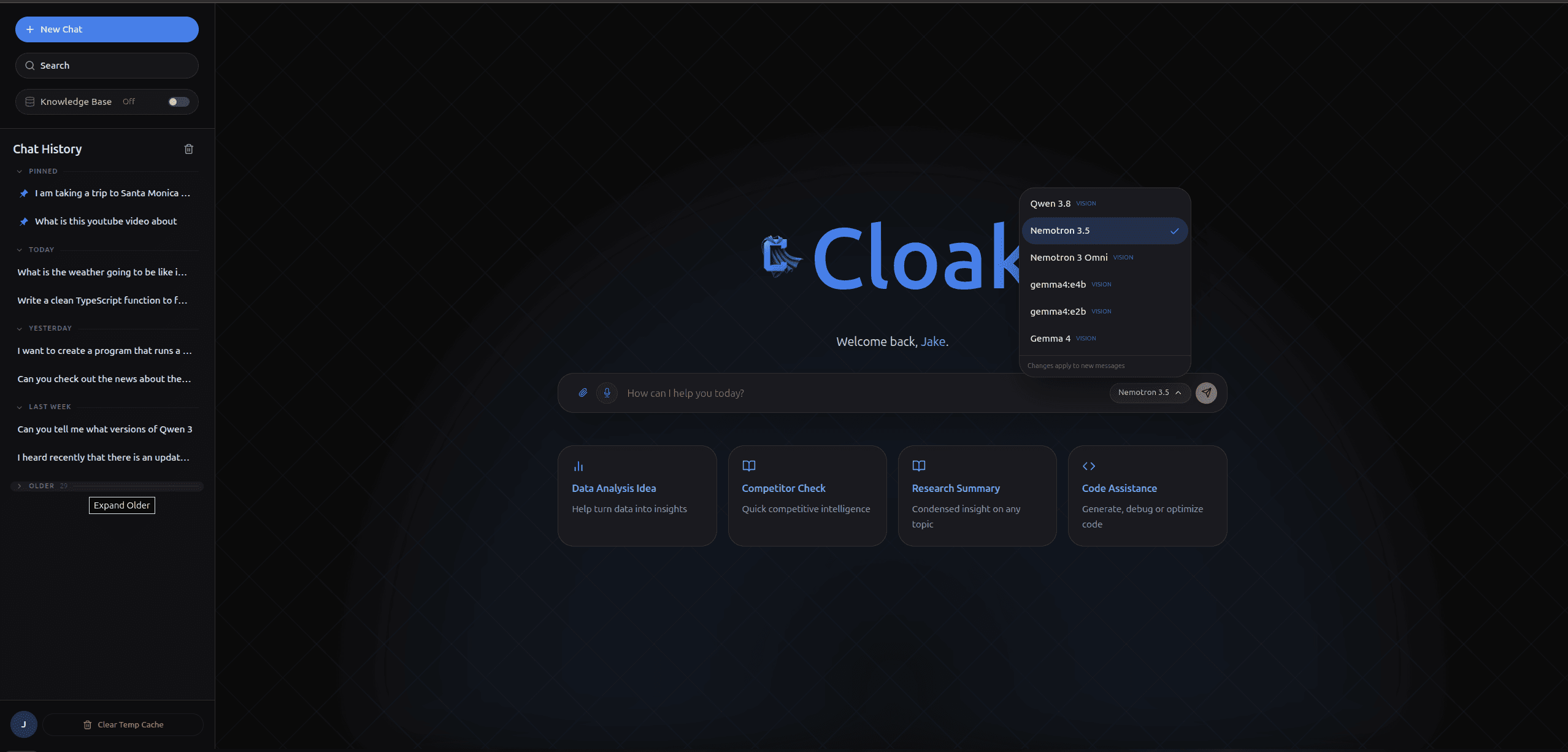
Cloak AI 2.0 is a fully local, privacy-first AI workspace built for real productivity. It runs on Ollama with seamless dynamic model switching and features reliable tool calling with exceptional transparency — every reasoning step and tool invocation is visible in real time inline and through the Agent Activity sidebar, while sources appear in a dedicated panel.
The agent can search the web, open a link you paste, pull a YouTube transcript, look up stocks and currency exchange rates, search your own documents, find images, and produce a weather forecast with an animated visualization. It can also run sandboxed Python and TypeScript, build interactive web pages with live inline previews, remember facts across sessions, and load specialist skill playbooks when a task calls for them. It will craft and plan and take multiple tool steps when a question needs them, and you can watch the plan unfold in realtime.
The system includes a proper RAG implementation using ChromaDB with bge-m3 embeddings, a reranker for better hits, and named collections that users can create, switch between, and manage directly from the UI. Documents can be added as one-shot context or ingested into persistent knowledge bases. Text files and Office docs are read locally; scanned PDFs go through NVIDIA Nemotron Parse.
Multimodal input is first-class: users can attach up to 5 images and documents in a single message (with drag & drop support), and the agent can reference previous images across turns using explicit labels. The agent can also search the web for images and display them inline in responses. Voice input uses Whisper Large v3 Turbo. Everything runs locally — chats never leave the machine.
The Build
My Role
Sole developer and system architect for the entire platform.
Context & Problem
After shipping the first version of Cloak AI, I quickly realized the rapid progress in local models and tooling meant the project needed a full evolution rather than incremental updates. The goal for 2.0 was to build something I would actually use daily — with real tool reliability, proper long-term memory via RAG, and excellent observability.
Challenges
Making tool calling reliable and transparent with smaller local models was difficult. Building a usable named-collection RAG system (with proper UI) took significant iteration. Adding first-class multimodal input (mixed images + documents, drag & drop, and multi-turn image referencing) while keeping the experience clean required careful state and prompt engineering. Image segmentation was powerful but buried the chat agent, so it moved to its own project.
Approach & Decisions
I kept the solid FastAPI + Ollama foundation but did a major frontend and capability overhaul. Key additions include dynamic model switching, a full RAG system with named collections and management UI, multi-step tool use (search, browse, YouTube, stocks, weather), better document understanding, and significantly improved Agent Activity visualization for live reasoning and tool traces.
Key Learnings
Local models have improved dramatically in tool use and instruction following over just a few months. The biggest leap in user trust didn't come from model size — it came from radical transparency (showing every step) and giving users real control over memory (named RAG collections).
Impact & Results
Cloak AI 2.0 became my primary daily AI tool. It proved that a high-quality, private, multimodal agent with useful tool use and memory is not only possible today on consumer hardware — it's genuinely pleasant to use.
Capabilities
The full set of tools the agent can call, and the bundled skill playbooks it loads on demand.
Agent Tools
19web_searchCurrent events, news, sports, and recent facts
Hybrid httpx / Playwright extraction
browse_pageA specific URL the user pasted
Also pre-fetched when a link appears in the message
get_youtube_transcriptYouTube video URLs
Captions via youtube-transcript-api, no browser required
get_weather_forecastExplicit weather and forecast questions
Can return an animated forecast video
get_stock_dataStock prices, crypto, indices, and historical data
Finnhub — rich inline cards and a comparison layout
exchange_currencyCurrency conversion requests
Real-time exchange rates
get_market_contextMacro backdrop: VIX, 10Y yield, dollar index
FRED — 7/30/90-day window with % change
get_options_flowSpeculative positioning and unusual option prints
Unusual Whales — top premium prints with side, strike, expiry, and IV
search_knowledge_baseQuestions about uploaded documents
Critical — strongly prompted to prefer it over guessing
search_imagesVisual examples and 'what does X look like' questions
Returns direct image URLs for inline markdown display
get_current_datetimeTime-sensitive and 'current' questions
Always called first to establish date context
list_filesInspecting the chat workspace
Sorted entries with sizes, capped at 200
read_fileReading back a workspace file
Text types only, 2 MB cap
write_fileCreating scripts, data files, notes, and web pages
.html returns a rendered preview PNG for inline display
run_pythonComputation, data analysis, and charts
numpy / pandas / matplotlib — output returned as inline images
run_typescriptJS/TS logic or generating web apps
Runs via tsx — new pages listed with a screenshot preview
load_skillMulti-step specialist tasks
Pulls the full body of a bundled skill into context
rememberUser facts and preferences worth persisting across chats
Appends to a single profile document, surfaced by recall
recallQuestions about previously remembered user info
Relevance-ranked search over stored memories
Bundled Skills
6csv-analysisSummarizing, filtering, or plotting a workspace CSV
list_files → read_file sample → write_file a pandas script → run_python → save charts as PNGs
meeting-notesTurning transcripts or pasted notes into structure
get transcript or read_file → decisions + action items (owner/date) + open questions
research-briefMulti-source reports with citations in prose
get_current_datetime → web_search → browse_page the best hits → recall → cited report
webpage-builderInteractive pages: chart dashboards, landing pages, data visualizations
plan assets → write assets before index.html → keep it static and self-contained → preview image in the answer
market-briefStock and market briefs with computed figures
get_current_datetime → get_stock_data → arithmetic in run_python, FX via exchange_currency → headline + bullets
code-reviewBugs, security, and nits on pasted, attached, or workspace code
attach or read code → optional ast.parse / run_typescript → High/Medium/Low findings → save a review note
Screenshots
Technologies
Want to talk about building something like this?
Get in Touch